How to Doodle

how to doodle stereo system

How to Doodle Stereo System

How to Doodle a Stereo System


Step 1

The first step to doodling a stereo system kind of looks like skyscraper scene with buildings in the background. Use straight lines to form carefully positioned rectangles as shown in the example below. A quick tip here is to firstly doodle objects in the foreground followed by objects in the background. The reason for this is that objects in the foreground will partly cover background objects, which means you won’t need to scrub out any unwanted lines.

how to doodle stereo system 01


Step 2

Use circles, straight lines, and rectangles to doodle the speakers and the amplifier of your stereo system. Use the example below for reference, however, feel free to use your imagination and play around with the positioning of your lines, circles, and rectangles. Stereo systems come in many different shapes and sizes.
how to doodle stereo system 02


Step 3

Add a simple 3D effect to your speakers using straight lines. Pay particular attention to keeping the angles consistent and the lines straight.

how to doodle stereo system 03


Step 4

Time now to add some shading to the inside wall of your speakers. Shading in this way will give your speakers a little more depth and character.

how to doodle a stereo system


Step 5

The final touch is to give your stereo system some color. Use complementary colors or different shades of the same color. Use the example below for reference, or choose your own color pallet.

how to doodle stereo system

How to Doodle Stereo System Read More ยป

how to doodle mobile phone

How to Doodle Mobile Phone

How to Doodle a Mobile Phone


Step 1

Begin by doodling an upright rectangle in the middle of your page.

how to doodle mobile phone 01


Step 2

Now, doodle a smaller rectangle inside the larger rectangle. Pay particular attention to keep the spacing between all four sides of both rectangles even. Use additional lines, circles, and rectangles to doodle the upper and lower portions of your mobile phone.
how to doodle mobile phone 02


Step 3

Doodle additional lines on the side of your mobile that will represent the external buttons. You can either use straight lines, angles or even arcs for this purpose. Then on the screen of your mobile phone doodle a circle, four angles, and a closed arc shape for the “incoming call” symbol.

how to doodle mobile phone 03


Step 4

Time to add some small details to your mobile phone doodle. Use short straight lines to create a shading effect as shown in the example below.

how to doodle a mobile phone


Step 5

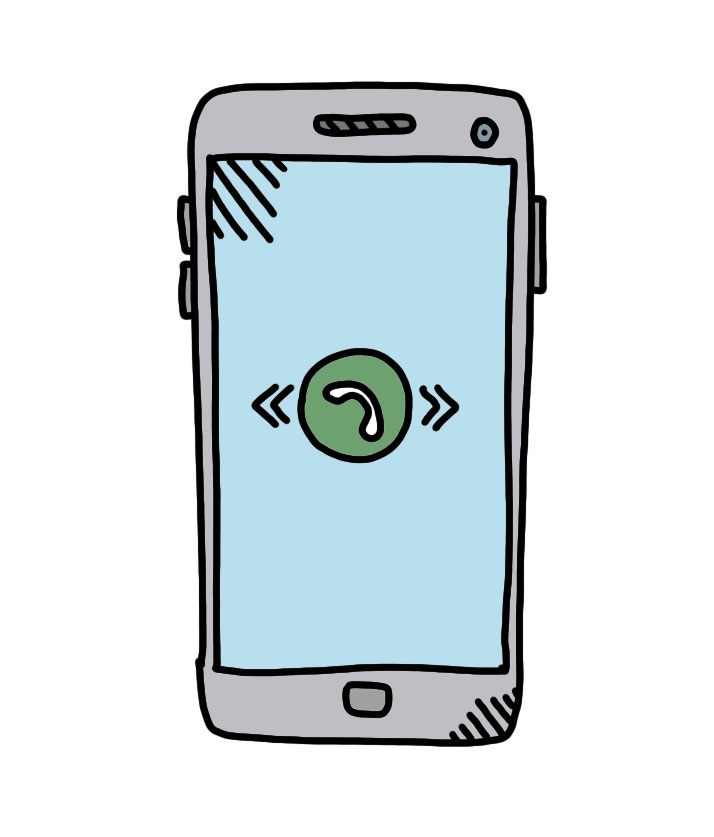
The final step is to add some color to your doodle. Use either complementary colors or various shades of the same color. Often a light blue color works well to show a glass or reflective surface.

how to doodle mobile phone

How to Doodle Mobile Phone Read More ยป

how to doodle laptop

How to Doodle Laptop

How to Doodle a Laptop


Step 1

Begin by doodling a rectangle in the middle of your page. Now, extending from the base of this rectangle, doodle a couple of lines angling downward but slightly out to the sides. Make sure that these lines are the same length. The final step is to join these lines together to close the shape.

how to doodle laptop 01


Step 2

Inside your main rectangle, doodle a smaller rectangle. Pay particular attention to keep the spacing between the smaller and larger rectangle relatively consistent on each of the four sides. Now, add a third-dimension to your laptop by doodling its base as shown in the example below.
how to doodle laptop 02


Step 3

To doodle the keyboard area of your laptop, use straight lines, however, pay particular attention to the angle of these lines. Make sure that the lines closer to the outer edges of the keyboard match the angle of the lines on the laptop. However, as you doodle the inner lines of the keyboard, notice how the angle of these lines changes.

how to doodle laptop 03


Step 4

Time to add some details to your laptop. No specific rules here. Simply use elements of the visual alphabet to create your laptop doodle, or copy the example below.

how to doodle a laptop


Step 5

The final step is to add some color to your doodle. Use different shades of the same color or complementary colors.

how to doodle laptop

How to Doodle Laptop Read More ยป

how to doodle Coffee machine

How to Doodle Coffee machine

How to Doodle a Coffee Machine


Step 1

Begin by doodling three rectangles as shown in the example below. Pay particular attention to the size and position of each rectangle. Take care to also use straight lines and angles. It’s, of course, not necessary to make your rectangles perfect. A little imperfection will give your coffee machine some personality and character.

how to doodle Coffee machine 01


Step 2

Next, use arcs, straight lines, and rectangles to doodle the spout and portafilter. Use the doodle below as an example, however, also feel free to be creative and use your imagination. Coffee machines come in all kinds of shapes and sizes.
how to doodle Coffee machine 02


Step 3

Time to add some finer details to your coffee machine doodle. Use triangles, circles, lines, and rectangles to doodle various buttons and decorative elements of your coffee machine.

how to doodle Coffee machine 03


Step 4

Add some shading to your coffee machine using straight lines. Where you shade your coffee machine doesn’t really matter. Shading in this way adds another dimension to your doodle.

how to doodle a Coffee machine


Step 5

The final step is to add some color to your coffee machine doodle. You can either use complementary colors or different shades of the same color. Colors will give your doodle more life.

how to doodle Coffee machine

How to Doodle Coffee machine Read More ยป

how to doodle desk lamp

How to Doodle Desk Lamp

How to Doodle a Desk Lamp


Step 1

Begin by doodling a small oval and two elongated rectangles on your page. Doodle the shorter rectangle on top of the longer rectangle, as shown in the example below.

how to doodle desk lamp 01


Step 2

Use a couple of straight even lines that connect the bottom section of your desk lamp to the oval. Make sure to angle these lines at 45-degrees to the left and to keep the spacing between each line consistent from beginning to end. Now, extend these lines at a 45-degree angle from the oval and off toward the right.
how to doodle desk lamp 02


Step 3

Doodling the head of the lamp might initially look a little complex and overwhelming, however, if you take a closer look you will notice that we only use simple visual alphabet shapes. Rectangles, lines, arcs, and eye shapes are used. Use these shapes to progressively doodle the head of the lamp. Start at the point where the two straight lines you drew within the previous step touch the head of the lamp, and move down from there using the visual alphabet shapes you learned when you went through the 40 ย Day Doodle Course.

how to doodle desk lamp 03


Step 4

Time to add some finer details to your desk lamp. First, add some shading using straight lines to the base and to the lamp head. Next, we may want to show that the light is switched on. To show this, simply doodle several straight lines extending outward from the light bulb. This will give the impression that the light is shining onto the surface below. Be sure to pay particular attention to the angle of these light beams. For reference, please see example below.

how to doodle a desk lamp


Step 5

The final step is to add some color to your doodle. You can either use different shades of the same color or you can use complementary colors. Feel free to flex your creativity and use your imagination. You can if you wish, maybe even add some patterns to the neck of the lamp. This will give it even more personality and character.

How to Doodle Desk Lamp


Gain more practice by registering for the Free 40 Day How to Doodle Course.

How to Doodle Desk Lamp Read More ยป

how to doodle pan

How to Doodle Pot

How to Doodle a Pot


Step 1

Begin by doodling an elongated slim rectangle in the middle of your page. Then underneath this rectangle doodle a three sided square that connects the two shapes together.

how to doodle pan 01


Step 2

Next, doodle the lid of your pot. Use an arc shape combined with rectangle shape on the very top.
how to doodle pan 02


Step 3

Give your pot some handy handles. You can copy the example below using straight lines or create your own unique set of handles. If you copy the example below, pay particular attention to keeping both handles even in length and size. This won’t be easy, but you certainly don’t have to be perfect. The example below isn’t perfect, but it’s thereabouts. ๐Ÿ™‚

how to doodle pan 03


Step 4

Time now to add some shading to your pot using straight lines. It’s helpful to keep your shading consistent. Imagine the light coming from above the pot. Now, ask yourself, where would the light hit the pot? Also, where wouldn’t it hit the pot? That’s where you should shade. Also, don’t forget to doodle a blob on the pot’s surface to show that the pot has a reflective surface.

how to doodle a pan


Step 5

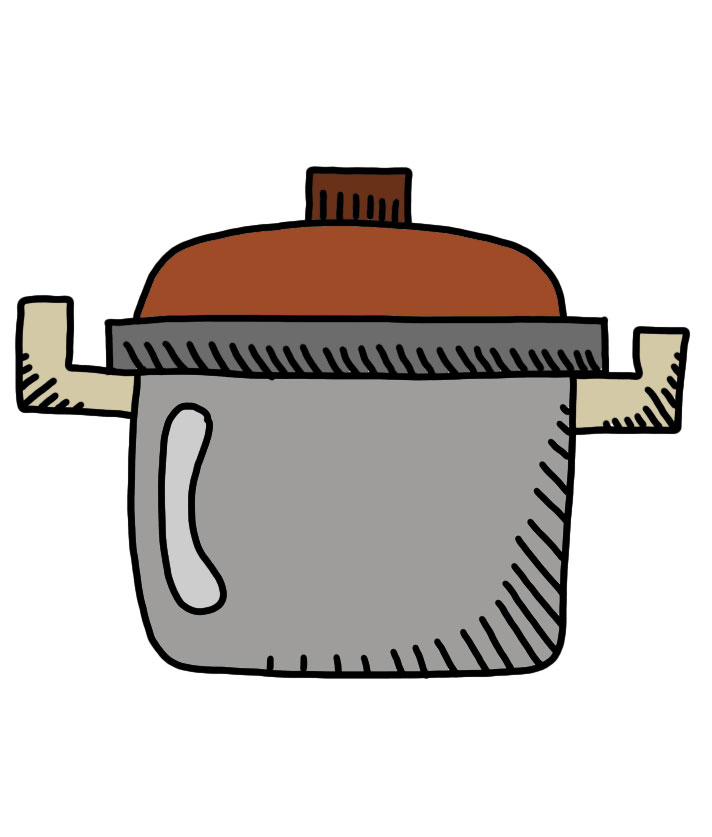
The final touch is to add some color to your pot. Be creative and use your imagination. You can either use complementary colors or different shades of the same color.

how to doodle pan 05

how to doodle pan

How to Doodle Pot Read More ยป

how to doodle cactus

How to Doodle Cactus

How to Doodle a Cactus


Step 1

Begin by doodling a rectangle in the middle of your page. Underneath this rectangle join the lines up to form a square. This will become the base of your cactus.

how to doodle cactus 01


Step 2

Now, use rounded blob shapes for the cactus. There are no fixed rules here. A cactus can come in many different shapes and sizes. Therefore feel free to use your imagination to create something you will be proud of. ๐Ÿ™‚
how to doodle cactus 02


Step 3

Add some spikes to your cactus using small straight lines. Spread these lines around the edges of your cactus as well as on the front side creating a small X shape. Also, don’t forget to give the base of your cactus three-dimensions using straight lines. Pay attention to keeping the angles of the lines consistent.

how to doodle cactus 03


Step 4

Add some decorations to your cactus pot using straight lines and circles. Again, you can be creative and use your imagination here to design something unique. Use the doodle below only as an example.

how to doodle a cactus


Step 5

Finally, add some color to your cactus. You can use any colors you wish here. A cactus is often green but doesn’t have to be green within your doodle. For the cactus pot, use either complementary colors or different shades of the same color.

how to doodle cactus

How to Doodle Cactus Read More ยป

How to doodle microwave

How to Doodle Microwave

How to Doodle a Microwave


Step 1

Begin by doodling a rectangle in the middle of your page. Within this rectangle, doodle a square as shown below, then draw a straight vertical line from top to bottom that divides the rectangle into two sections. Don’t forget to also doodle the base of your microwave using straight lines that form two smaller rectangles.

How to doodle microwave 01


Step 2

Time to add some details to your microwave. For the buttons and viewscreen, use rectangles, dots, lines, and circles. You, however, don’t necessarily need to doodle it as shown in the example below. Feel free to use your imagination. For the glass area of your microwave, doodle several carefully positioned lines. These lines will make it appear as though your surface has a reflective finish.
How to doodle microwave 02


Step 3

Add a third-dimension to your microwave using straight lines. Pay particular attention to keeping the length and angles of the lines consistent. Then join these lines up to close the shape.

How to doodle microwave 03


Step 4

Add some shading to your doodle using straight lines. Pay particular attention to the angle of your lines and the spacing between the lines. Shading in this way is easy and gives you doodle added depth.

How to doodle a microwave


Step 5

The final step is to add some color to your microwave. Use different shades of the same color or complementary colors that give your microwave life and character. For the reflective glass surface, you will notice that two different shades of blue were used. This is a small touch but makes a big difference as it simulates how light reflects off the glass in different ways.

How to doodle microwave

How to Doodle Microwave Read More ยป

How to doodle oven

How to Doodle Oven

How to Doodle an Oven


Step 1

Begin by doodling an upright rectangle in the middle of your page. Now, draw two horizontal lines as shown below. These lines will divide your oven into three main parts. Make sure that these lines are straight and even. Finally, within the bottom section of your large rectangle, doodle a small rectangle.

How to doodle oven 01


Step 2

Time to add some detail to your oven. As with the first step, focus here on just doodling lines, and some circles. ๐Ÿ™‚ Begin by doodling a square in the middle section of your oven. Now, divide this square up into three even parts using straight horizontal lines. Now, on the top section of your oven doodle four circles with lines passing through them. These circles will represent the control knobs for the oven.
How to doodle oven 02


Step 3

Give your oven three dimensions be doodling the top and side sections. Use straight lines paying particular attention to keeping your angles consistent. Join the lines up to close your shape. Finally, doodle a few straight lines in an X fashion on the top of your oven. These lines will represent the four cooking stoves.

How to doodle oven 03


Step 4

Add some shading to your oven using straight lines. Pay particular attention to keeping your lines straight, angled appropriately and even. Moreover, try and keep the spacing between each line consistent.

How to doodle a oven


Step 5

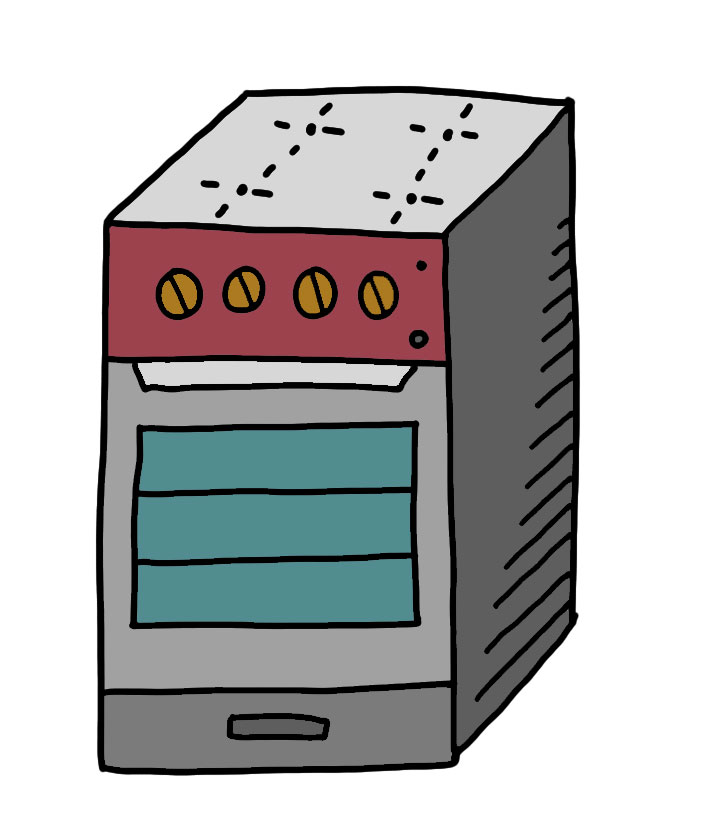
The final step is to add a touch of color to your oven. Use different shades of the same color or complementary colors that will give your oven personality and life.

How to doodle oven

How to Doodle Oven Read More ยป

how to doodle kettler

How to Doodle Kettle

How to Doodle a Kettle


Step 1

Begin by doodling a triangle with rounded corners in the middle of your page. Now doodle a line across the bottom section of your triangle. Be sure to curve this line up slightly at the ends.

how to doodle kettler 01


Step 2

Use straight and curved lines to doodle the spout of your kettle. Make sure to keep the spacing and length of your lines consistent. Finish off your spout by doodling an eye at the very tip. Now, on top of your kettle, doodle the lid using a couple of straight lines and a circle.
how to doodle kettler 02


Step 3

Now for the tricky part. Use a curved line to doodle the handle of your kettle. There are no fixed rules here. Your doodle doesn’t even need to look the same as you see within this example. Handles can come in a variety of lengths, shapes, and sizes, therefore feel free to use your imagination. ๐Ÿ™‚

how to doodle kettler 03


Step 4

Add some shading to your kettle using straight lines. The key to shading is to imagine where the light is coming from and then add shading to areas that aren’t absorbing the light. Within the example below the shading has been doodled primary on the bottom part of each component of the kettle.

how to doodle a kettler


Step 5

The final step is to add some color to your kettle doodle. Use either various shades of the same color or complementary colors that will make your kettle look as beautiful as possible in your doodled kitchen. ๐Ÿ˜‰

how to doodle kettler

How to Doodle Kettle Read More ยป