Home

how to doodle a truck

How to Doodle a Truck

How to Doodle a Truck


Step 1

drawing a truck

Begin your truck doodle by drawing three circles. Then within those circles, draw a small circle as shown within the example. Notice the gap between the circle on the left and the two circles on the right.


Step 2

draw a truck

Connect the three large circles using straight lines. Notice how the lines don’t go through the circles, but rather link the circles together.


Step 3

doodling a truck

To doodle the body of your truck, use straight lines. Pay particular attention to the angle, length, and height of each line.


Step 4

doodle a truck

Use straight lines again to doodle the cargo area of the truck. Then use straight lines again to doodle the window of the truck. Again pay particular attention to the angles of the lines you doodle.


Step 5

how to doodle a truck

Finish off your truck doodle by giving it a little more detail and color. For the details, use straight lines for the door and for shading the cargo area. Then use color to give your truck some personality.
How to Doodle a Truck Read More »

how to doodle a bus

How to Doodle a School Bus

How to Doodle a School Bus


Step 1

drawing a bus

To doodle a school bus, begin by drawing two arc shapes in the middle of your page. Then connect the two arc shapes with a line as shown in the example.


Step 2

draw a bus

To doodle the wheels of your school bus, draw two oval shapes within the arc shapes you drew in step 1. Then within those oval shapes, doodle two small oval shapes. These will become the wheels of your bus.


Step 3

doodling a bus

To doodle the lower body of the bus, us three arc shapes. Notice in the example the size of these arc shapes and where they are positioned in relation to the wheels of the bus.


Step 4

doodle a bus

To doodle the main body of your bus, use curved lines and rectangles. Pay particular attention to the height and length of the lines. Notice also where the lines are positioned in relation to the wheels.


Step 5

how to doodle a bus

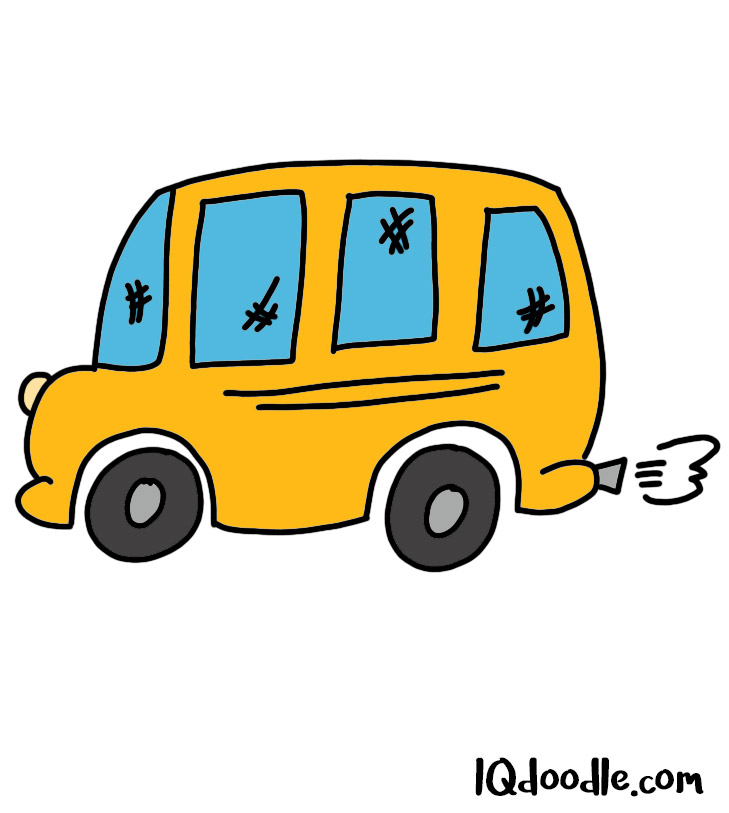
Add the finishing touches to your bus doodle by giving it some color. Notice the hash marks added to the windows. This gives the impression that it is a reflective surface.

How to Doodle a School Bus Read More »

how to doodle a printer

How to Doodle a Printer

How to Doodle a Printer


Step 1

drawing a printer

To doodle a printer, begin by doodling what looks like a square tongue sticking out of a mouth. This tongue will become the paper that your printer spits out.


Step 2

draw a printer

Now draw a rectangle around the mouth of the printer. Notice how the rectangle is partially hidden behind the printer paper.


Step 3

doodling a printer

Add a third-dimension to your printer using straight lines. Notice the consistency of the angles of the lines. Also, take into account the length of the lines in comparison to the rectangle you drew in step 2.


Step 4

doodle a printer

To doodle the print paper feeder, use straight lines extending from the backend of the printer. Also, add some details to the front of your printer using an arc shape and three small ovals.


Step 5

how to doodle a printer

Add the finishing touches to your printer doodle by giving it some color. Notice the different shades of gray used within the example. This gives our printer a neat shadow-light effect.

How to Doodle a Printer Read More »

How to doodle a file folder

How to Doodle a File Folder

How to Doodle a File Folder


Step 1

drawing a file folder

To draw a file folder, begin by doodling a square with only three sides. Doodle the bottom, left and right wall of your square, but leave the top part open for now.


Step 2

draw a file folder

To doodle the inside of your file folder, use a couple of straight lines that connect at a 90-degree angle. Notice the angle of these lines in relation to the shape you created during step 1 of this process.


Step 3

doodling a file folder

Use five straight lines to doodle the top of your file folder. Notice the angles and the length of the lines.


Step 4

doodle a file folder

Let’s now doodle some files in our file folder. For this purpose, use straight lines that are connected at a 90-degree angle. Notice how three layers of files have been created within the example. All with the use of straight lines.


Step 5

How to doodle a file folder

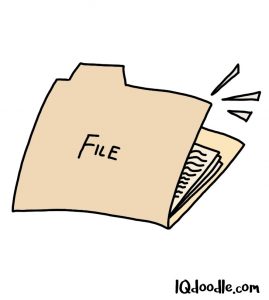
Add the finishing touches to your file folder by adding some details and giving it some color. You can, of course, play around with different colors and labels for your file folder.

How to Doodle a File Folder Read More »

how to doodle a file cabinet

How to Doodle a File Cabinet

How to Doodle a File Cabinet


Step 1

draw a file cabinet

Begin your file cabinet doodle by drawing a diamond shape near the top of your page. Then below this, draw an elongated rectangle shape. This will become the top and side wall of your cabinet.


Step 2

drawing a file cabinet

To doodle the cabinet file drawer, use straight lines, and a rectangle shape. Notice the angles of the lines and of the rectangle shape within the example. See how the angles are aligned with the original shapes you drew in step 1.


Step 3

doodling a file cabinet

Use a couple of straight lines to doodle the bottom and side wall of your cabinet. Notice here the angles and length of the lines within the example.


Step 4

doodle a file cabinet

Add some details to your file cabinet using rectangles and lines. Notice how the lines are drawn for the files. The lines do not touch but are rather floating within the file cabinet drawer.


Step 5

how to doodle a file cabinet

Add the finishing touches to your file cabinet doodle by giving it some color and also lines for shading. Feel free to experiment with the colors. If you decide to doodle the file cabinet again, feel free to experiment with which drawer is open and closed.

How to Doodle a File Cabinet Read More »

how to doodle a clipboard

How to Doodle a Clipboard

How to Doodle a Clipboard


Step 1

drawing a clipboard

To doodle a clipboard, begin by drawing the clip. The clip is kind of an awkward looking shape. However, your clip doesn’t necessarily need to look like this. You can simplify the design using a combination of an oval and rectangle shape.


Step 2

draw a clipboard

Next, let’s doodle the board. Use a rectangle shape for your board. Notice how a part of the board is behind the clip. Notice also the angle of the board and how it is doodled within the example.


Step 3

doodling a clipboard

Let’s now doodle a piece of paper being held down by the clip. As you can see in the example, yet again I used a rectangular shape. Notice how the top part of the paper is partly hidden behind the clip.


Step 4

doodle a clipboard

Let’s now add a 3-dimensional effect to our clipboard. Specifically, we will add it under the board and also under our sheet of paper. Use straight lines for this purpose with a slight curve at the end.


Step 5

how to doodle a clipboard

Add the finishing touches to your clipboard doodle by adding some details to the clipboard using lines and rectangles. Then finish it off by giving it some color.

How to Doodle a Clipboard Read More »

How to doodle a calculator

How to Doodle a Calculator

How to Doodle a Calculator


Step 1

drawing a calculator

Begin your calculator doodle by drawing a rectangle in the middle of your page. Notice how the rectangle is slanted at a 45-degree angle.


Step 2

draw a calculator

Let’s now add a 3-dimension effect to our rectangle using a combination of straight lines. Notice the angle of these lines in relation to each other.


Step 3

doodling calculator

To add some buttons to your calculator doodle, draw 10 rectangles as shown within the example. These rectangles, of course, don’t need to be perfect. You don’t need to be perfect while doodling. This isn’t a drawing class. We just need to be perfect enough to get our message across. 🙂


Step 4

doodle a calculator

Let’s now add a 3-dimensional effect to our buttons as well. Use straight lines for this purpose as we did during step 2 of this process.


Step 5

How to doodle a calculator

Now add the finishing touches to your calculator doodle by adding some shading and color. Feel free to experiment with the color and with the numerical digits.

How to Doodle a Calculator Read More »

how to doodle thumbs up

How to Doodle Thumbs Up

How to Doodle Thumbs Up


Step 1

drawing thumbs up

To create a thumbs up doodle, begin by drawing an elongated oval shape in the middle of your page. This oval shape will become one of our fingers.


Step 2

draw thumbs up

Let’s now doodle the other three fingers. Again, use elongated oval shapes to represent these fingers. Notice how only the top finger is fully visible. The other fingers below it are partially covered by the finger directly above it.


Step 3

doodling thumbs up

Use curved lines to doodle the upper and lower portion of the hand. Then use an elongated arc shape to doodle the thumb as shown within the example.


Step 4

doodle thumbs up

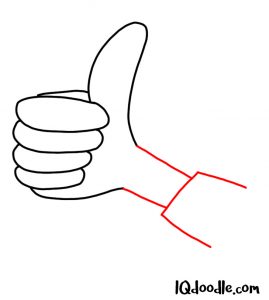
Use straight lines to draw the forearm and the shirt sleeve. Notice the angle of these lines in relation to the hand.


Step 5

how to doodle thumbs up

Add some finishing touches to your thumbs up doodle by giving your hand nails, wrinkles, and shadow. Use straight and curved lines for this purpose. Then finish things off by giving your thumbs up doodle some color.

How to Doodle Thumbs Up Read More »

how to doodle hands clasping

How to Doodle Hands Clasping

How to Doodle Hands Clasping


Step 1

drawing hands clasping

Doodling two hands clasping can seem overwhelming. Where do we begin? Well, let’s just begin with a coupon of elongated oval shapes drawn in the middle of your page. Notice the positioning, shape, and size within the example.


Step 2

draw hands clasping

Let’s now doodle two additional oval shapes alongside the bottom shape we drew in step 1. Notice how these two oval shapes are partly hidden behind the original shape. This is important as not all fingers in our clasped hands doodle are fully visible.


Step 3

doodling hands clasping

To doodle the knuckles of our right hands, use three large arc shapes. Notice the positioning of these arc shapes. Notice also where they begin and end. Getting this balance right will help make our hand clasping doodle look more realistic.


Step 4

doodle hands clasping

Use curved and straight lines to doodle both arms and the shirt sleeves. Notice the angle of these lines as well as the length in relation to other lines we have doodled.


Step 5

how to doodle hands clasping

Time now to add the finishing touches to your hand clasping doodle. First, give your fingers nails by using a combination of arc shapes and lines. Then create a shadow effect using small straight lines. And finally, add some color. Notice how the left forearm is a slightly darker color. This was done on purpose as the shadow of the right forearm darkens the color on the left forearm.

How to Doodle Hands Clasping Read More »

how to doodle a hands clapping

How to Doodle Hands Clapping

How to Doodle Hands Clapping


Step 1

drawing a hands clapping

Doodling hands doing anything always seems like an overwhelming task. 🙁 I do, however, hope that these steps will make things a little easier. 🙂 To doodle hands clapping, begin by drawing an oddly shaped elongated arc shape in the middle of your page. This shape will become the thumb of one of your hands.


Step 2

draw a hands clapping

Extending from our thumb we need to doodle the four fingers. Notice how in the example long and curved lines have been used for this purpose. Notice also how some fingers are slightly hidden behind other fingers. It’s not essential to draw it this way, but it will actually make doodling the hand a little easier.


Step 3

doodling a hands clapping

Having doodled our left hand, it’s now time to doodle the right hand. Again, let’s start with the thumb. Use an arc shape to draw your right thumb. Notice where the thumb is positioned in relation to the left hand and the angle of the arc. Also, because the right hand will be the back hand, only part of the thumb will be visible.


Step 4

doodle a hands clapping

To draw the fingers of your right hand, use long and elongated arc shapes. Notice how there is no space between each finger. Notice also how part of the right hand is hidden behind the left hand.


Step 5

how to doodle a hands clapping

To finish things off, add some more details to your clapping hands using lines, ovals, and arc shapes. Then finish things off by adding a splash of color to your doodle. You might be wondering what the arc shapes around the hands represent. That’s just to show that the hands are moving.

How to Doodle Hands Clapping Read More »